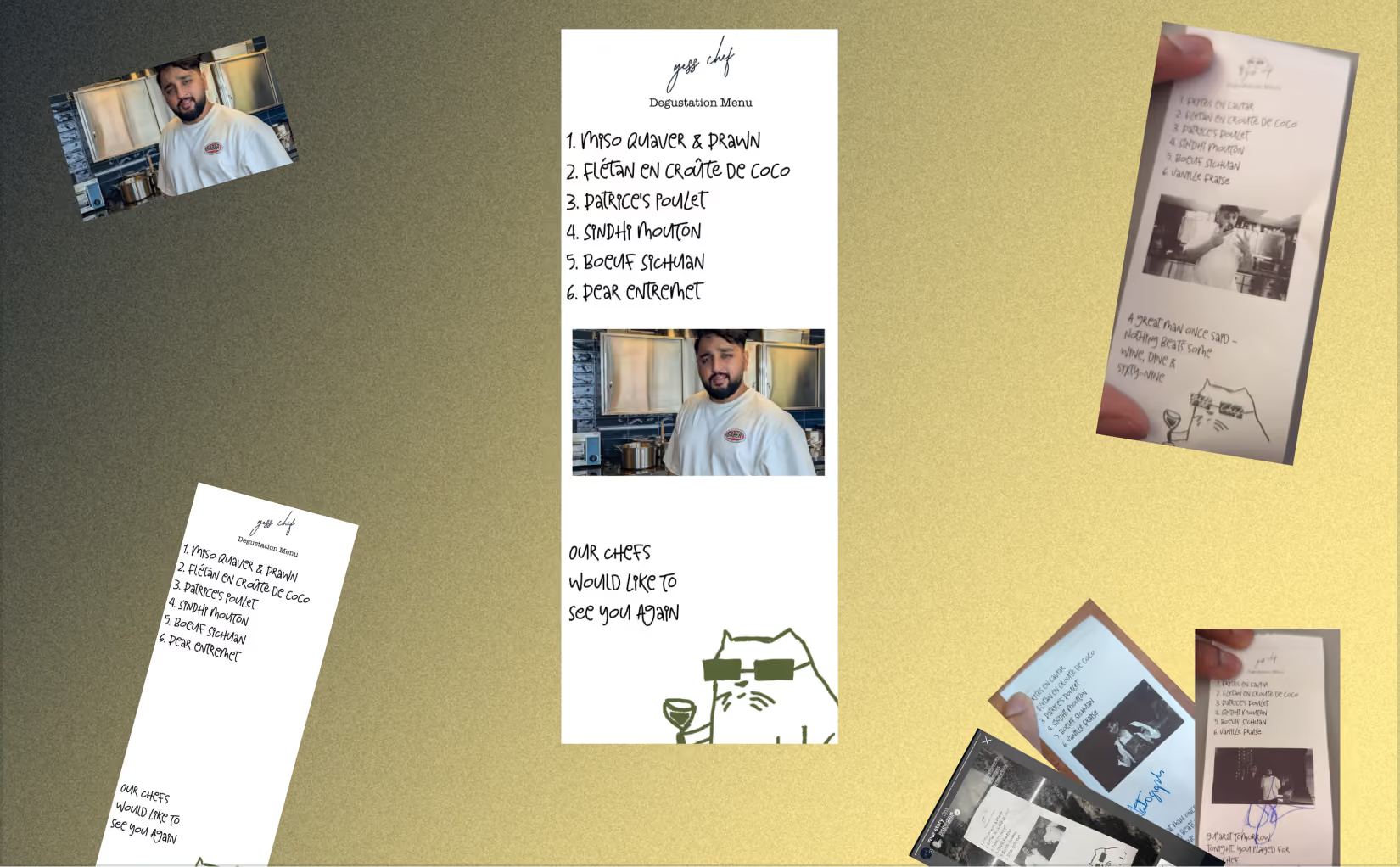
Yess Chef
Yess Chef is a chef-led dining experience around an open kitchen with a seasonal 6-course menu served course by course. The atmosphere they aimed for was very slow dining / home-style hospitality. They wanted to send customers off with more than just a bill — they wanted to send them with a memory. So I built them a custom app for creating personalised mementos to give customers at the end of their meal.
300+
Mementos generated
1K+
Minutes of manual work saved
Design, Development & PRD writing
AI Usage
Scope of work
UI, UX & App Development
Tools
Figma, Gemini, Cursor, Supabase & Vercel
Duration
10 days
Capcity
Freelance (Solo)
Problem Statement
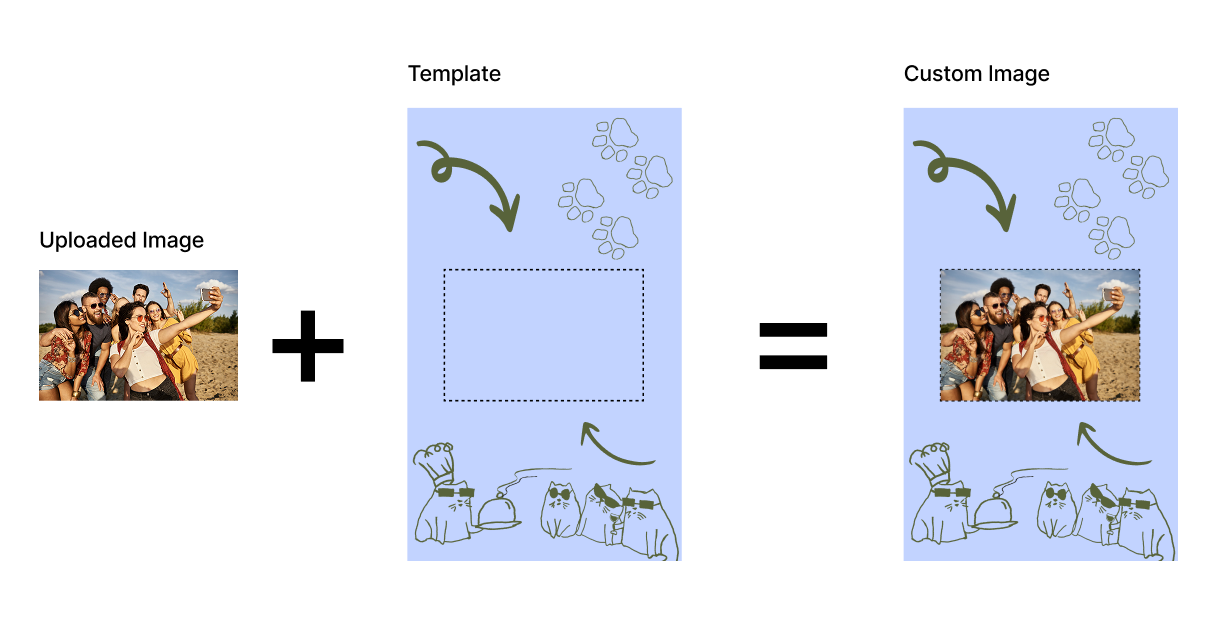
Yess Chef needed a way for staff to drop a guest photo onto custom degustation / event templates and walk away with a print-ready file in seconds — without the thermal print queue, without Photoshop, and without guessing crop placement every time.
Process
The process began with a deep dive into the client's requirements, gathering all available brand assets at their disposal to set a clear thematic direction.
Userflow & Concept
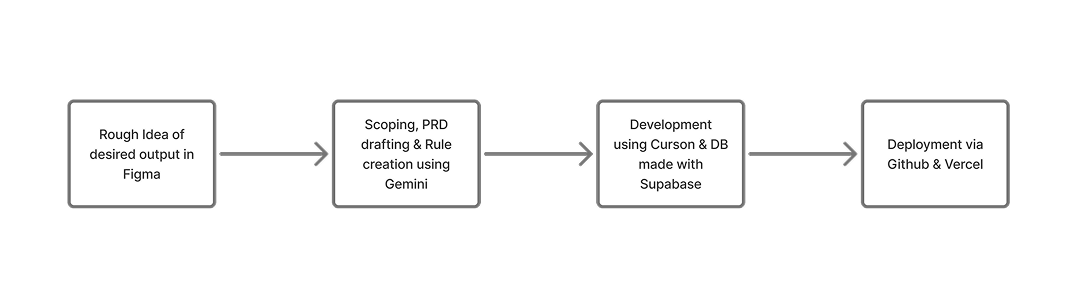
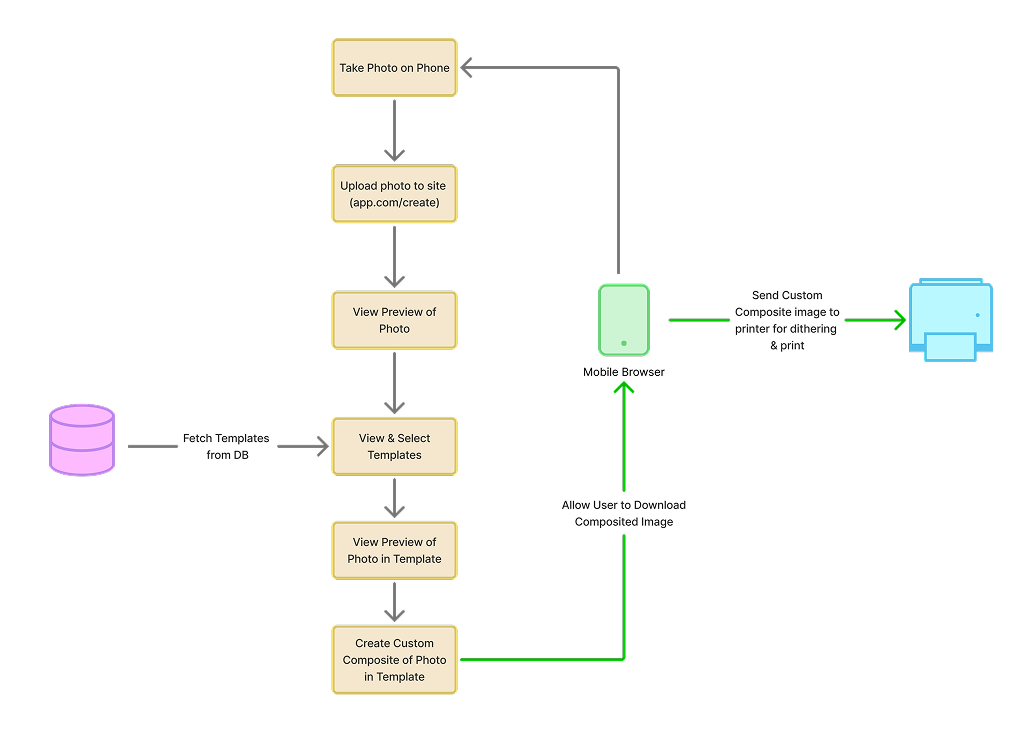
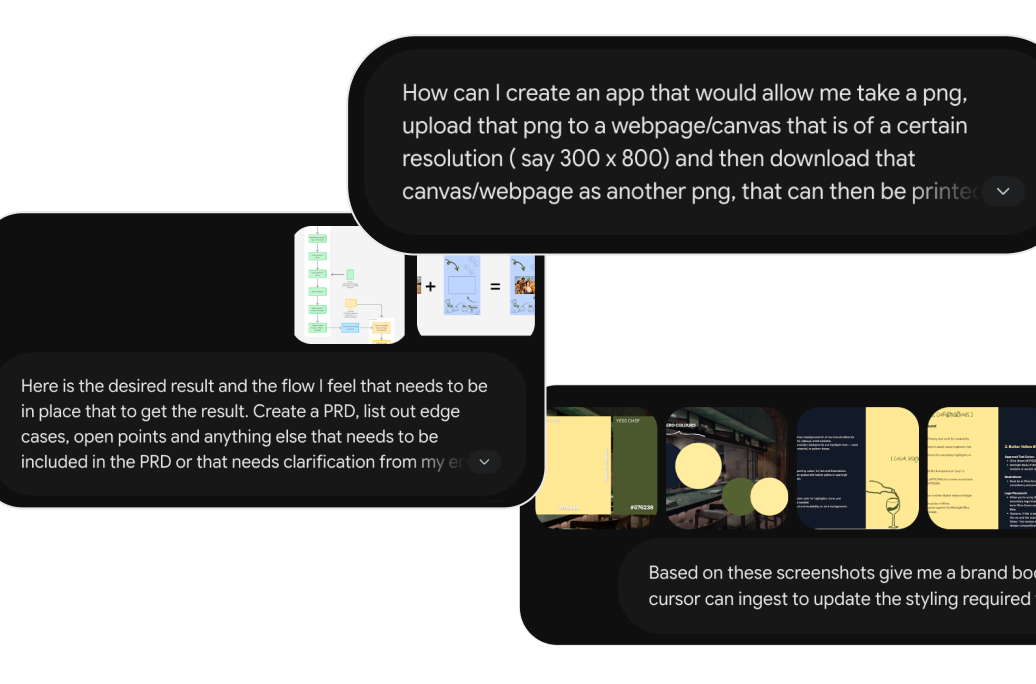
I used Figma & FigJam to give Gemini a rough idea of what the end result needed to be and how the user should obtain it.
Scoping & PRD
The user flow from FigJam and the desired result references from Figma were used as the basis for the prompts that helped mold the PRD, scope & frameworks to be used for the app.
Frontend
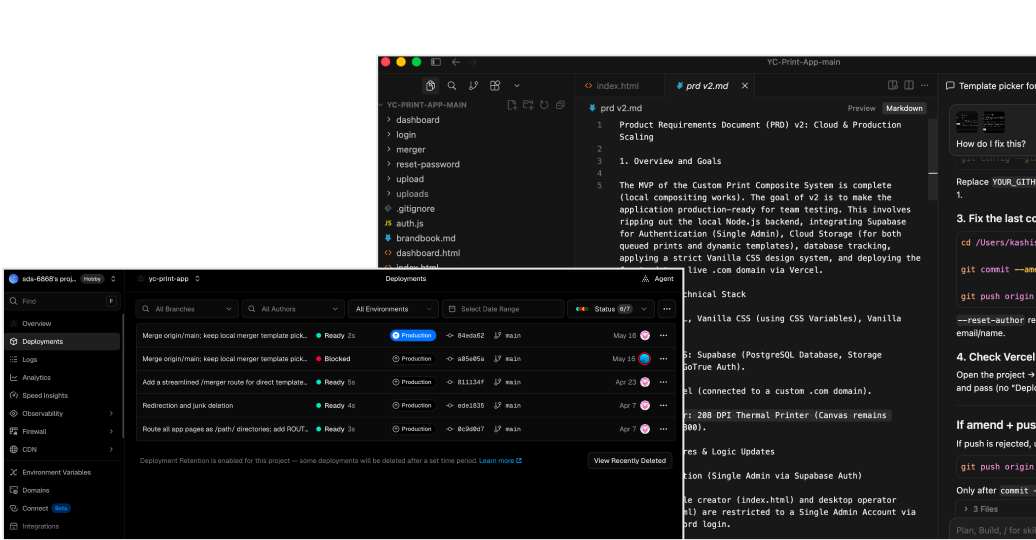
The project is built as a fast, no-install lightweight web app hosted on Vercel, allowing it to live on the same domain as the main product. Image compositing is handled directly via a browser canvas to precisely merge frames and photos. The overall look and feel is driven by the brand book's shared styles, keeping the interface consistent with Yess Chef's signature palette of night blue, butter yellow, and sharp typography — and to put it all together, Cursor handled the lightning-fast implementation.
Backend
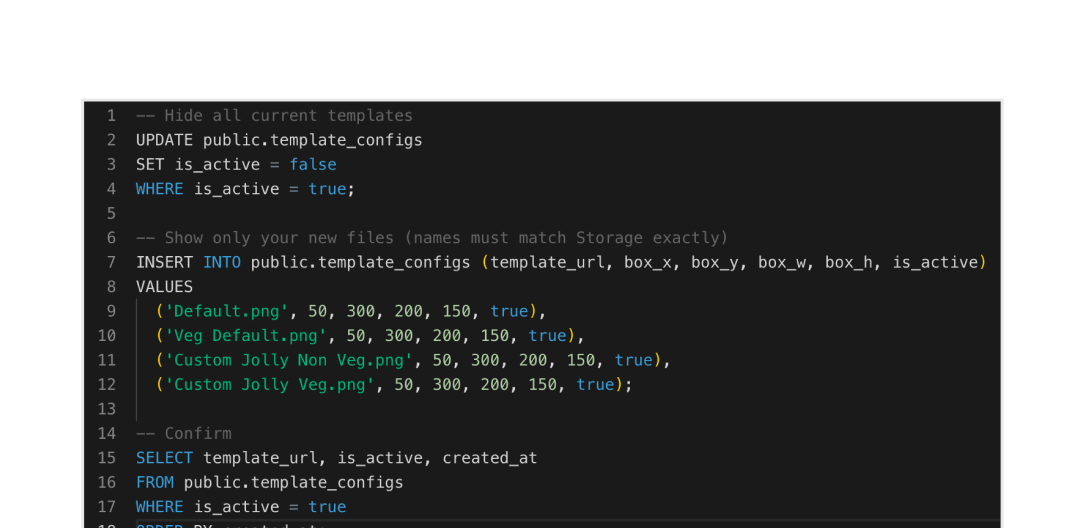
For security and data management, it uses Supabase Auth for secure team access and a Supabase database with storage to handle the template library, letting the team add or remove frames without a full rebuild. Templates can be updated, deleted & added using simple SQL in the Supabase editor.
Final Flow & Output
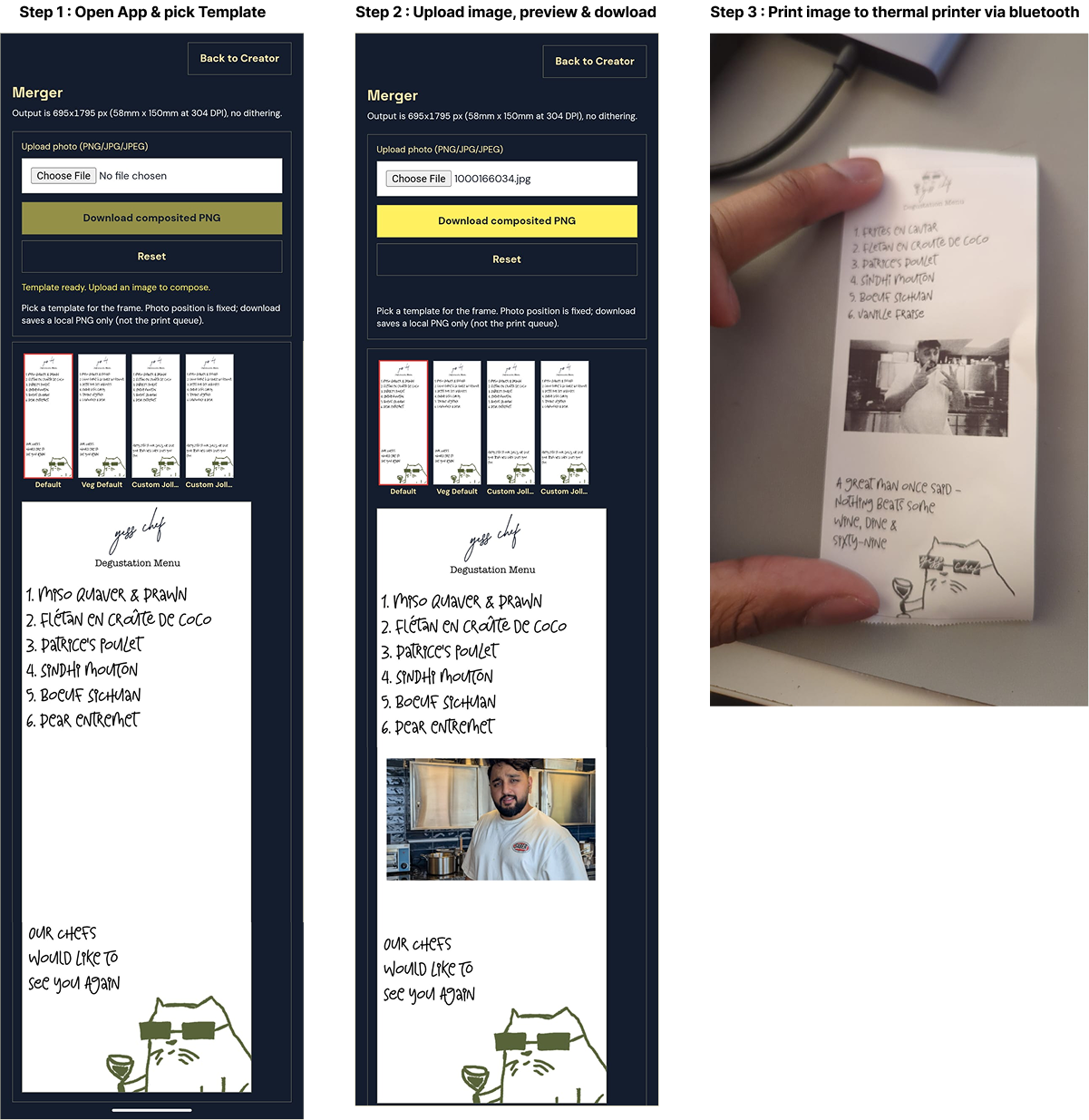
The application's workflow requires a Supabase session, redirecting unauthenticated users to the login page. Once signed in, users browse a rail of active templates loaded directly from Supabase. Selecting a template updates the background while keeping the photo position fixed, letting users upload a PNG or JPG that composites into the designated slot. From there, users can download a print-ready PNG or reset to try a different photo. The app turns “open Photoshop, hope the crop is right” into “pick a frame, drop a photo, download the strip.”
Conclusion
All in all, this was an enjoyable experience with lots of key learnings. Personally, I found that the best way to approach working with AI is having a pipeline in place and implementing work in phases — almost an abstraction of the conventional product development life cycle, with limitless potential.